
.....obsolete user manuals, a lot of repair manuals, free service manuals, rare schematic diagrams, usefull service instructions, pdf books, how to repair instructions, lost operating manuals, old handbooks, tons of part lists, hidden service bulletins, your instruction books, informative repair tips, complete disassembly routines.....


What are you looking for?


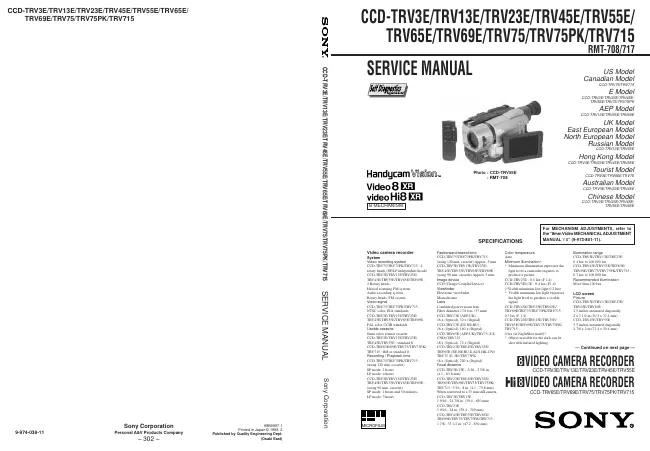
Sony - CCD-TRV65E - Video camera
Manufacturer:
Equipment:
CCD-TRV65E
Date:
1998
Category:
Group:
Sub Group:

Information

Video camera recorder System Video recording system CCD-TRV75 TRV75PK/TRV715 : 4 rotary heads (SP/LP independent heads) CCD-TRV3E TRV13E/TRV23E/ TRV45E/TRV55E/TRV65E/TRV69E : 2 Rotary heads Helical scanning FM system Audio recording system Rotary heads, FM system Video signal CCD-TRV75 TRV75PK/TRV715 : NTSC color, EIA standards CCD-TRV3E TRV13E/TRV23E/ TRV45E/TRV55E/TRV65E/TRV69E : PAL color CCIR standards Usable cassette 8mm video format cassette CCD-TRV3E TRV13E/TRV23E/ TRV45E/TRV55E : standard 8 CCD-TRV65E 69E/TRV75/TRV75PK/ TRV715 : Hi8 or standard 8 Recording / Playback time CCD-TRV75 TRV75PK/TRV715 : (using 120 min. cassette) SP mode: 2 hours LP mode: 4 hours CCD-TRV3E TRV13E/TRV23E/ TRV45E/TRV55E/TRV65E/TRV69E : (using 90 min. cassette) SP mode: 1 hours and 30 minutes LP mode: 3 hours Fastforward/rewind time CCD-TRV75 TRV75PK/TRV715 : (using 120 min. cassette) Approx. 5 min CCD-TRV3E TRV13E/TRV23E/ TRV45E/TRV55E/TRV65E/TRV69E : (using 90 min. cassette) Approx. 5 min. Image device CCD (Charge Coupled Device) Viewfinder Electronic viewfinder Monochrome Lens Combined power zoom lens Filter diameter 17/16 in. (37 mm) CCD-TRV13E (AEP,UK) : 16 x (Optical), 32 x (Digital) CCD-TRV13E (EE,NE,RU) : 16 x (Optical), 160 x (Digital) CCD-TRV65E (AEP,UK)/TRV75 (US, CND)/TRV715 : 18 x (Optical), 72 x (Digital) CCD-TRV23E TRV45E/TRV55E/ TRV65E (EE,NE,RU,E,AUS,HK,CN)/ TRV75 (E, JE)/TRV75PK : 18 x (Optical), 220 x (Digital) Focal distance CCD-TRV3E 13E : 3/16 - 2 5/8 in. (4.1 - 65.6 mm) CCD-TRV23E TRV45E/TRV55E/ TRV65E/TRV69E/TRV75/TRV75PK/ TRV715 : 3/16 - 8 in. (4.1 - 73.8 mm) When converted to a 35 mm still camera CCD-TRV3E TRV13E : 1 9/16 - 24 7/8 in. (39.4 - 630 mm) CCD-TRV23E 1 9/16 - 28 in. (39.4 - 709 mm) CCD-TRV45E TRV55E/TRV65E/ TRV69E/TRV75/TRV75PK/TRV715 : 1 7/8 - 33 1/2 in. (47.2 - 850 mm) Color temperature Auto Minimum illumination* * Minimum illumination expresses the light level a camcoder requires to produce a picture CCD-TRV23E 0.4 lux (F 1.4) CCD-TRV3E 13E : 0.4 lux (F1.4) (*Visible minimum low light 0.2 lux) * Visible minimum low light expresses the light level to produce a visible signal CCD-TRV45E TRV55E/TRV65E/ TRV69E/TRV75/TRV75PK/TRV715 : 0.7 lux (F 1.4) CCD-TRV23E TRV45E/TRV55E/ TRV65E/TRV69E/TRV75/TRV75PK/ TRV715 : 0 lux (in NightShot mode)* * Object invisible for the dark can be shot with infrared lighting. Illumination range CCD-TRV3E TRV13E/TRV23E : 0.4 lux to 100,000 lux CCD-TRV45E TRV55E/TRV65E/ TRV69E/TRV75/TRV75PK/TRV715 : 0.7 lux to 100,000 lux Recommended illumination More than 100 lux LCD screen Picture CCD-TRV3E TRV13E/TRV23E/ TRV65E/TRV69E : 2.5 inches measured diagonally 2 x 1 1/2 in.(50.3 x 37.4 mm) CCD-TRV45E TRV55E : 3.5 inches measured diagonally 2 7/8 x 2 in.(72.4 x 50.4 mm)

show more

1 Manual

Service manual
Manual type:
Service manual
Pages:
188
Size:
22.9 MB
Language:
english
Revision:
Manual-ID:
9-974-038-11
Date:
July 1998
Quality:
Electronic document, no scan, very well readable.
Upload date:
Jan. 28, 2017
MD5:
e1d20edb-ffba-b728-476f-bb4283261fbd
Downloads:
7340
Last month downloads:
29

Information

SERVICE NOTE 1. Power Supply During Repairs ... 5 2. To Take out a Cassette when not Eject (Force Eject) ... 5 Self-Diagnosis Function 1. Self-diagnosis function ... 6 2. Self-diagnosis Display ... 6 3. Service Mode Display ... 6 3-1. Display Method ... 6 3-2. Switching of Backup No. ... 6 3-3. End of Display ... 6 4. Self-diagnosis Code Table ... 7 1. GENERAL Using this manual ... 1-1 Checking supplied accessories ... 1-1 Installing and Charging the battery pack ...1-1 Inserting a cassette ...1-2 Camera recording ... 1-2 Hints for better Shooting ...1-4 Checking the recorded picture ...1-5 Playing back a tape ... 1-5 Searching for the end of the picture ... 1-6 Using alternative power sources ... 1-6 Changing the mode settings ... 1-7 Shooting with backlighting ...1-8 Using the FADER function ...1-8 Shooting in the dark (NightShot) ... 1-9 Using the wide mode function ...1-9 Using the PROGRAM AE function ...1-9 Focusing manually ...1-10 Enjoying picture effect ...1-10 Adjusting the exposure ...1-11 Superimposing a title ...1-11 Making your own titles ...1-12 Recording with the date/time ...1-12 Optimizing the recording condition ...1-12 Releasing the STEADY SHOT function ...1-13 Watching on a TV creen ...1-13 Editing onto another tape ...1-13 Recording from a VCR or TV 1-14 Changing the lithium battery in the camcoder ...1-14 Resetting the date and time ...1-14 Simple setting of clock by time difference ...1-15 Usable cassettes and playback modes ...1-15 Tips for using the battery pack ...1-15 Maintenance information and precautions ...1-16 Using your camcorder abroad ...1-17 Self-diagnosis display ...1-17 Identifying the parts ...1-18 Warning Indicators ...1-20 TABLE OF CONTENTS 2. DISASSEMBLY 2-1. Removal of Front Panel Block ... 2-1 2-2. Removal of Cabinet (R) Block ... 2-2 2-3. Removal of EVF Block-1... 2-2 2-4. Removal of LCD Block (3/3.5 inch) ...2-2 2-5. Removal of LCD Block (2.5 inch) ... 2-2 2-6. Removal of CF-51 (CF-50) Board and Control Switch Block (MR-8500)/(MF-8500) ... 2-3 2-7. Removal of EVF Block-2... 2-3 2-8. Removal of Cabinet (L) Block and Battery Panel Block ... 2-4 2-9. Removal of Cassette Lid Assembly ... 2-4 2-10. Removal of Control Switch Block (FK-8500) ... 2-4 2-11. Removal of Zoom Lens Block ... 2-5 2-12. Removal of DD-105 Board and PJ-84 (PJ-83) Board ...2-5 2-13. Removal of VC-195 and SE-67 (SE-66) Board ... 2-5 2-14. Service Position ... 2-6 2-15. Circuit Board Location ... 2-7 3. BLOCK DIAGRAMS 3-1. Overall Block Diagram ... 3-1 3-2. Camera/Video 1 Block Diagram ...3-5 3-3. VTR/Camera Control Block Diagram ... 3-9 3-4. Servo Block Diagram ... 3-12 3-5. Mode Control Block Diagram ...3-15 3-6. Audio Block Diagram ...3-19 3-7. LCD CCD-TRV23E TRV45E/TRV55E/TRV65E/TRV69E/ TRV75/TRV75PK/TRV715) Block Diagram ...3-23 3-8. LCD CCD-TRV3E TRV13E) Block Diagram ... 3-26 3-9. B/W EVF Block Diagram ...3-29 3-10. Power Block Diagram ...3-33 4. PRINTED WIRING BOARDS AND SCHEMATIC DIAGRAMS 4-1. Frame Schematic Diagram (1) ...4-1 • Frame Schematic Diagram (2) ... 4-4 4-2. Printed Wiring Boards and Schematic Diagrams ...4-7 • CD-197/198 (CCD Imager) (2.5 Inch LCD, 3 Inch/3.5 Inch LCD Model) Board ...4-8 • VC-195 (Camera, Y/C Processor, IN/OUT, REC/PB Head Amp, Servo/System Control, Servo, Audio, IR Transmiter, Mode Control) Board ...4-10 • VC-195 (Camera 1) Board ...4-17 • VC-195 (Camera 2) Board ...4-19 • VC-195 (Y/C Process) Board ...4-23 • VC-195 (IN/OUT) Board ...4-27 • VC-195 (REC/PB Head Amp) Board...4-31 • VC-195 (Servo/System Control) Board ...4-35 • VC-195 (Servo) Board ...4-38 • VC-195 (Audio) Board ...4-41 • VC-195 (IR Transmiter) Board ...4-46 • VC-195 (Mode Control) Board ...4-49 • SE-67/66 (Steady Shot) (2.5 Inch, 3 Inch/3.5 Inch LCD Model) Board ...4-52 • PJ-83/84 (AV IN/OUT) (2.5 Inch, 3 Inch/3.5 Inch LCD Model) Board ...4-55 • MA-331 (Stereo Mic, Laser Link) (2.5 Inch LCD Model) Board ...4-58 • MA-312 (Stereo Mic, Laser Link) (3 Inch/3.5 Inch LCD Model) Board ...4-59 • CF-50 (Control (2.5 Inch LCD Model)) Board ...4-64 • CF-51 (Control (3 Inch/3.5 Inch LCD Model)) Board ..4-73 • Control Switch Block (FK-8500/SS-8500) ...4-77 • PD-92 (RGB Decorder, LCD Drive, Back Light LCD (2.5 Inch LCD Model)) Board ...4-78 • PD-92 (RGB Decorder) Board ...4-81 • PD-92 (LCD Drive) Board ...4-84 • PD-92 (Back Light) Board ...4-87 • PD-92 (LCD) Board ...4-88 • PD-93 (RGB Decorder, LCD Drive, Back Light LCD (3 Inch/3.5 Inch LCD Model)) Board ...4-90 • PD-93 (RGB Decorder) Board ...4-93 • PD-93 (LCD Drive) Board ...4-96 • PD-93 (Back Light) Board ...4-99 • PD-93 (LCD) Board ...4-100 • VF-99 (B/W EVF (B/W EVF Model)) Board ...4-103 • DD-105 (Power) Board ...4-108 5. ADJUSTMENTS 5-1. CAMERA SECTION ADJUSTMENTS ...5-1 1-1. Preparations before Adjustment (Camera Section) ...5-1 1-1-1. List of Service Tools ... 5-1 1-1-2. Preparations ... 5-2 1-1-3. Precautions ... 5-5 1. Setting the Switch ... 5-5 2. Adjusting Procedure ... 5-5 3. Subject ... 5-5 1-1-4. Adjusting Remote Commander ... 5-6 1. Using the adjusting remote commander ...5-6 2. Precautions upon using the adjusting remote commander ... 5-6 1-1-5. Data Processing ... 5-7 1-2. Initialization of D, E, F Page Data ...5-8 1. Initialization of D, E, F Page Data ...5-8 2. Modification of D, E, F Page Data ... 5-8 3. D Page Table ... 5-9 4. F Page Table ...5-10 5. E Page Table ...5-12 1-3. Camera System Adjustments ...5-14 1. G-CAM flip Adjustment ... 5-14 2. Hall Adjustment ...5-15 3. Flange Back Adjustment ... 5-16 3-1. Flange Back Adjustment (1) ... 5-16 3-2. Flange Back Adjustment (2) ... 5-16 4. Flange Back Check ... 5-17 5. Picture Frame Setting ...5-17 6. Color Reproduction Adjustment ... 5-18 7. IRIS IN/OUT Adjustment ... 5-19 8. MAX GAIN Adjustment ... 5-19 9. Auto White Balance Standard Data Input ... 5-20 10. Auto White Balance Adjustment ... 5-20 11. White Balance Check ...5-21 12. Angular Velocity Sensor Sensitivity Adjustment ...5-22 CCD-TRV45E TRV55E/TRV65E/TRV69E/TRV75/ TRV75PK/TRV715) 1-4. Monochrome Electronic Viewfinder System Adjustments ... 5-23 1-4-1. Horizontal Slant Check ... 5-23 1-4-2. Centering Adjustment ... 5-23 1-4-3. Focus Adjustment ...5-23 1-4-4. Aberration Adjustment ...5-24 1-4-5. Horizontal Amplitude Adjustment (VF-99 board) ..5-24 1-4-6. Vertical Amplitude Adjustment (VF-99 board) ... 5-25 1-4-7. Brightness Adjustments (VF-99 board) ...5-25 1-4-8. Horizontal Amplitude, Vertical Amplitude, Focus Check ...5-25 1-5. LCD System Adjustment ...5-26 1. LCD initial data input ... 5-26 2. VCO adjustment (PD-92/93 board) ...5-27 3. D range adjustment (PD-92/93 board) ...5-27 4. Bright adjustment (PD-92/93 board) ... 5-28 5. Contrast adjustment (PD-92/93 board) ... 5-28 6. V-COM level adjustment (PD-92/93 board) ... 5-29 7. Color adjustment (PD-92/93 board) ...5-29 8. V-COM adjustment (PD-92/93 board) ...5-30 9. White balance adjustment (PD-92/93 board) ...5-30 5-2. MECHANICAL SECTION ADJUSTMENT ... 5-31 2-1. Operating without a Cassette ...5-31 2-2. Tape path Adjustment ... 5-31 1. Preparations for adjustments ... 5-31

show more