.....obsolete user manuals, a lot of repair manuals, free service manuals, rare schematic diagrams, usefull service instructions, pdf books, how to repair instructions, lost operating manuals, old handbooks, tons of part lists, hidden service bulletins, your instruction books, informative repair tips, complete disassembly routines.....


What are you looking for?


Fluke - 867B - Digital multimeter
Manufacturer:
Equipment:
867B
Date:
1997
Category:
Group:
Sub Group:
Graphical Multimeter

Information

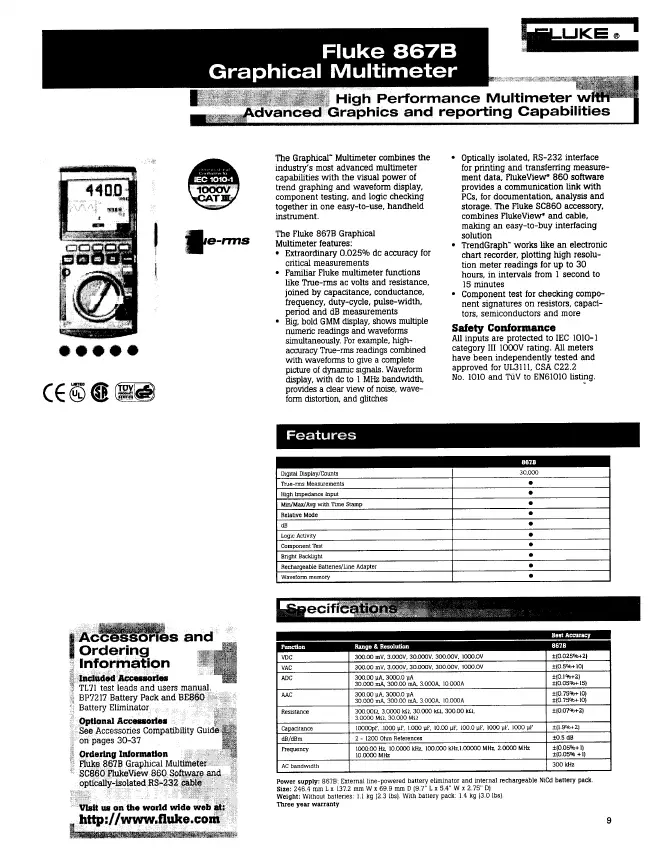
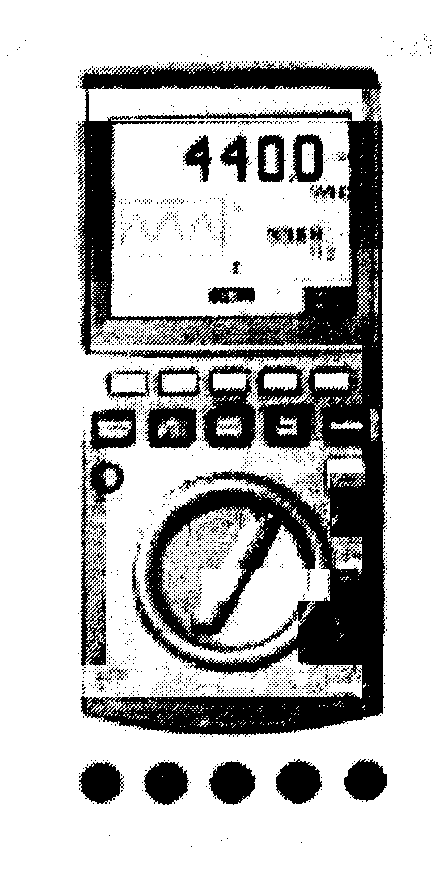
The Graphical" Multimeter combines the industry's most advanced multimeter capabilities with the visual power of trend graphing and waveform display, component testing, and logic checking together in one easy-to-use, handheld instrument. The Fluke 867B Graphical Multimeter features: • Extraordinary 0.025% dc accuracy for critical measurements • Familiar Fluke multimeter functions like True-rms ac volts and resistance, joined by capacitance, conductance, frequency, duty-cycle, pulse-width, period and dB measurements • Big, bold GMM display, shows multiple numeric readings and waveforms simultaneously. For example, high- accuracy True-ims readings combined with waveforms to give a complete picture of dynamic signals. Waveform display, with dc to 1 MHz bandwidth, provides a clear view of noise, waveform distortion, and glitches • Optically isolated, RS-232 Interface for printing and transferring measurement data, FlukeView* 860 Software provides a communication link with PCs, for documentation, analysis and storage. The Fluke SC860 accessory, combines FlukeView* and cable, making an easy-to-buy interfacing solution • TrendGraph" works like an electronic chart recorder, plotting high resolution meter readings for up to 30 hours, in intervals from 1 second to 15 minutes • Component test for checking component signatures on resistors, capacitors, semiconductors and more

show more

4 Manuals

Service manual
Manual type:
Service manual
Pages:
101
Size:
4.0 MB
Language:
english
Revision:
Manual-ID:
PN 689312
Date:
Quality:
Electronic document, no scan, very well readable.
Upload date:
Nov. 5, 2013
MD5:
348520d1-3c33-6c6e-4e7e-8b3357e29a84
Downloads:
2643
Last month downloads:
3

Information

This manual includes the following information: • Specifications (Chapter 1): • Theory of Operation (Chapter 2): • General Maintenance (Chapter 3): • Performance Testing and Calibration procedures (Chapter 4): • List of Replaceable Parts (Chapter 5): • Schematic Diagrams and component locators (Chapter 6): The information in this manual is applicable to both the 867B and 863 models unless otherwise indicated.

show more

User manual
Manual type:
User manual
Pages:
112
Size:
966.2 KB
Language:
english
Revision:
3
Manual-ID:
4822 872 00894
Date:
Quality:
Electronic document, no scan, very well readable.
Upload date:
Nov. 30, 2014
MD5:
62ea2ba2-3688-68f6-f0b1-57f338fbdfd6
Downloads:
1644
Last month downloads:
7

Information

1 A Quick Tour ... 1-1 Your Graphical Multimeter... 1-1 About This Manual... 1-8 Combo Mode ... 1-9 Meter Mode ... 1-9 View Mode... 1-9 Trend Mode ... 1-9 Auto Diode Test Mode... 1-10 Logic Test Mode ... 1-10 Component Test Mode ... 1-10 Sleep Mode... 1-10 2 Making Measurements... 2-1 Introduction... 2-1 Measuring AC Volts... 2-4 Measuring DC Volts ... 2-6 Measuring DC Millivolts... 2-8 Measuring Ohms, Continuity, and Conductance... 2-9 Testing Diodes and Measuring Capacitance ... 2-11 Measuring AC and DC Amps ... 2-13 Measuring AC and DC Milliamps and Microamps... 2-15 Using Component Test ... 2-17 Testing for Logic Activity ... 2-20 Measuring Frequency ... 2-22 3 Some General Descriptions ... 3-1 Introduction ... 3-1 Battery Considerations... 3-1 Display Blanking (Sleep Mode) ... 3-1 Using the ... 3-2 Backlight (Model 867B 3-2 Adjusting Contrast... 3-2 General Features ... 3-2 Understanding Display Features... 3-7 Measurement Connections ... 3-10 4 Using the Hardkeys... 4-1 Introduction ... 4-1 Using Display Mode Softkeys ... 4-1 Using Frequency Softkeys ... 4-2 Save/Print Softkeys... 4-3 Min Max Softkeys ... 4-4 Range Softkeys ... 4-5 Touch Hold ... 4-6 5 Using View and Trend Display Modes... 5-1 Introduction... 5-1 View Display Mode Basics ... 5-1 Using View Mode Softkeys... 5-2 Setting Up the Time Base... 5-3 Setting Up the Trigger ... 5-4 Choosing the Acquisition Type ... 5-7 Trend Display Mode Basics... 5-10 Using Trend Mode Softkeys ... 5-10 6 Using Save, Recall, Print, and Set Up... 6-1 Introduction... 6-1 Using the Save/Print Softkeys ... 6-1 Saving Screen and Configuration... 6-3 Recalling Screen or Configuration... 6-4 Previewing Screen or Configuration... 6-4 Saving the Present Configuration... 6-5 Printing... 6-6 Changing the Configuration... 6-8 7 User Maintenance... 7-1 Introduction... 7-1 Cleaning ... 7-1 Testing the Fuses... 7-1 Replacing the Batteries ... 7-2 Replacing the 440 mA Fuses ... 7-2 Replacing the 11A (High Energy) Fuse... 7-2 Reassembly ... 7-3 Operational Test... 7-5 Self Test ... 7-5 If Your GMM Does Not Work ... 7-8 8 Specifications... 8-1 General Specifications ... 8-1

show more

Datasheet
Manual type:
Datasheet
Pages:
1
Size:
141.6 KB
Language:
english
Revision:
Manual-ID:
Date:
Quality:
Scanned document, all readable.
Upload date:
Jan. 28, 2016
MD5:
c1370d72-0324-47c7-4abc-847afea191bd
Downloads:
859
Last month downloads:
6
User manual
Manual type:
User manual
Pages:
114
Size:
1.0 MB
Language:
french
Revision:
3
Manual-ID:
Date:
October 1998
Quality:
Electronic document, no scan, very well readable.
Upload date:
Dec. 17, 2024
MD5:
ecf1d5ec-bc16-2aec-6bee-6918d2e672ba
Uploader:
SPOOK45
Downloads:
191
Last month downloads:
18